

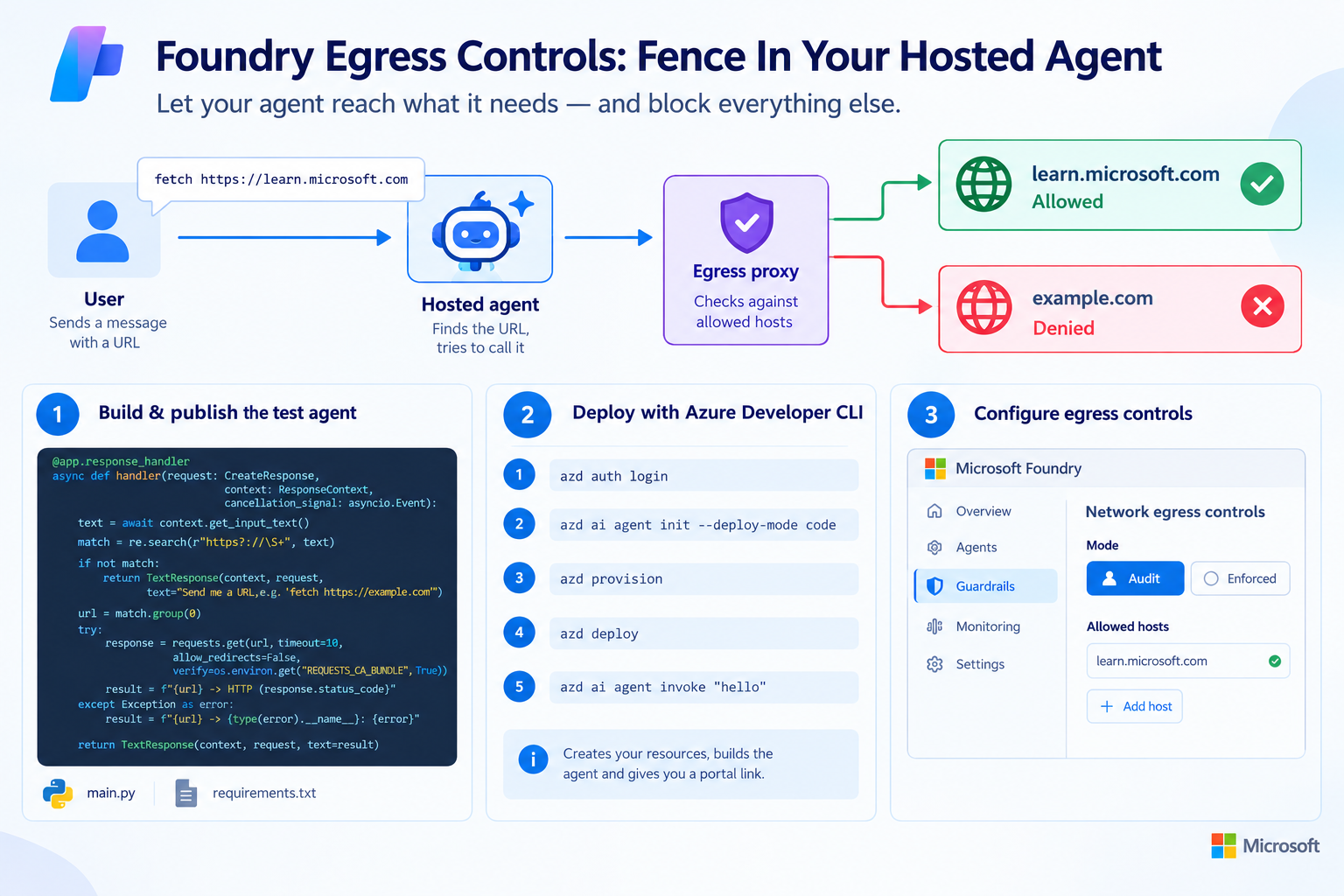
Back in one of my previous blog we looked at what leaves your App Services, and another blog locked down Functions. Agents are the same story with a twist: an agent decides at runtime what to call, based on text it reads. One poisoned web page, one creative tool call, and your hosted agent is sending data to a host you’ve never heard of.
Microsoft Foundry now lets you fence that in: network egress controls for hosted agents, in preview. You define which hosts the agent may reach, everything else is denied. You start in Audit mode to see what would be blocked, then flip to Enforced.
No scripts this time! 😔 it’s all Foundry portal. The one exception is a tiny test agent, because the agent from the previous blog can’t call a URL on its own.
So brace yourself as today we’re stepping away from PowerShell and dive full into Foundry!
🎬 marks steps to follow, 📒 marks deep-dives.
Let’s go! 🚀
What We’re Building
Hosted agent ──▶ egress proxy ──▶ learn.microsoft.com ✔ allowed
│
└────────✖ example.com ✖ denied
Basically just an agent allowing connectivity to learn.microsoft.com and the rest is not allowed 😉
Prerequisites
- A Foundry test project.
- A hosted agent.
- The Azure Developer CLI
- The Foundry Project Manager role on the project (or Owner on the resource group if azd creates the project for you).
- Application Insights connected to the project (Traces tab → Connect). Without it the trace view stays empty I found that out the hard way.
- Permission to create guardrails on the Foundry resource.
The Test Agent
🎬 Create a hosted agent that does one thing: find a URL in your message, call it, report the status.
- First we need these files in order to do something (the agent, in python this time… YES I KNOW!! SORRY!!! But for this time we go for Python…)
@app.response_handler
async def handler(request: CreateResponse, context: ResponseContext, cancellation_signal: asyncio.Event):
    text = await context.get_input_text()
    match = re.search(r"https?://\S+", text)
    if not match:
        return TextResponse(context, request, text="Send me a URL, e.g. 'fetch https://example.com'")

    url = match.group(0)
    try:
        response = requests.get(url, timeout=10, allow_redirects=False,
                                verify=os.environ.get("REQUESTS_CA_BUNDLE", True))
        result = f"{url} -> HTTP {response.status_code}"
    except Exception as error:
        result = f"{url} -> {type(error).__name__}: {error}"

return TextResponse(context, request, text=result)- Save it as main.py and also make a file requirements.txt given the content below
azure-ai-agentserver-responses>=1.0.0b7
requests>=2.32.Publish the Test Agent
Egress controls only apply to an agent that runs in Foundry, so we publish it with the Azure Developer CLI. (make sure you have this installed before going on)
🎬 Follow the steps below to publish the agent
- First login
azd auth login
- Next run the ai agent init (you might get prompted like I was)
azd ai agent init --deploy-mode code
📒 Install the foundry agents beta
And you will be greated by some nice ASCI art from where we’ll continue
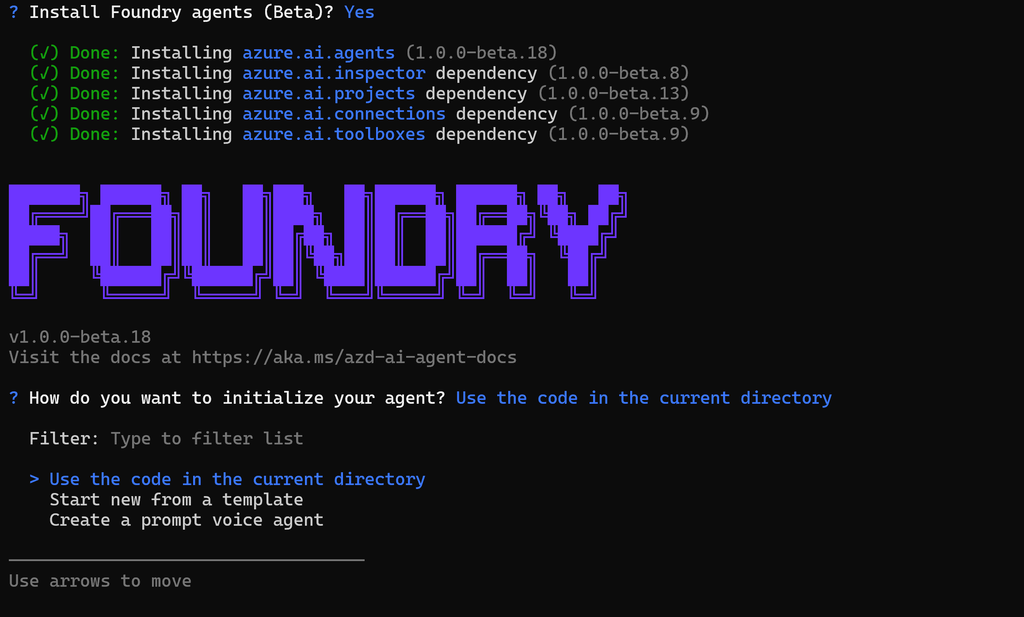
- Lets walk through as this should be straight forward “Use the code in the current directory”
It already sees that we are doing this in Python:
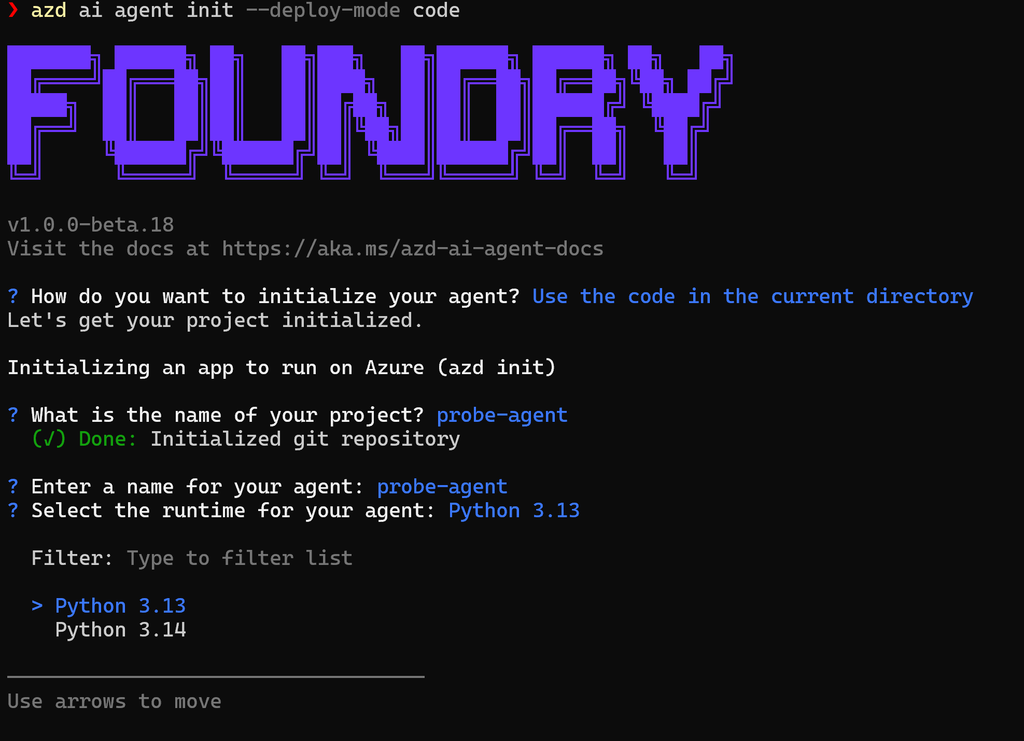
- Keep following the steps in the wizard like I am below
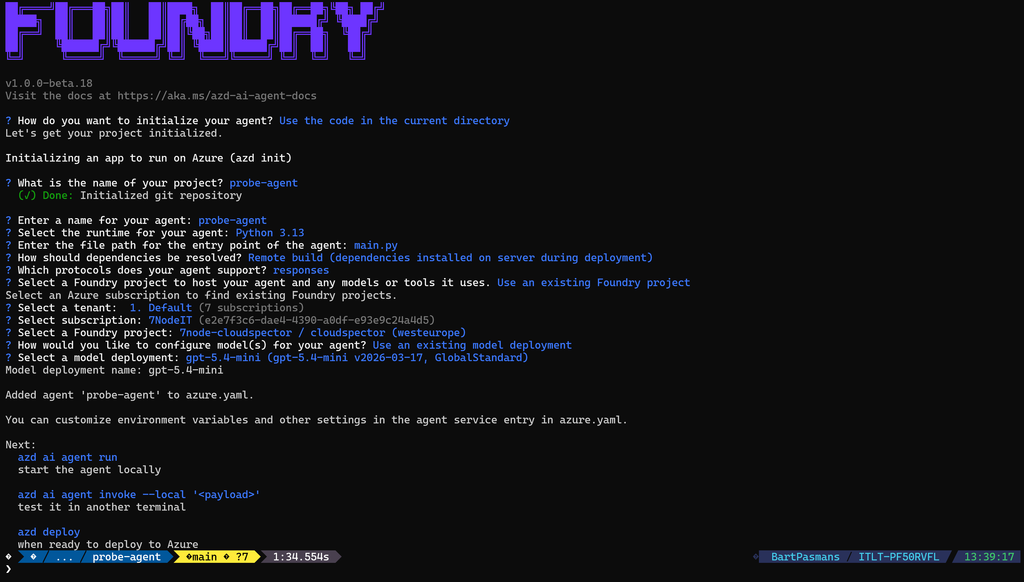
🎬 Now provision and deploy:
azd provision
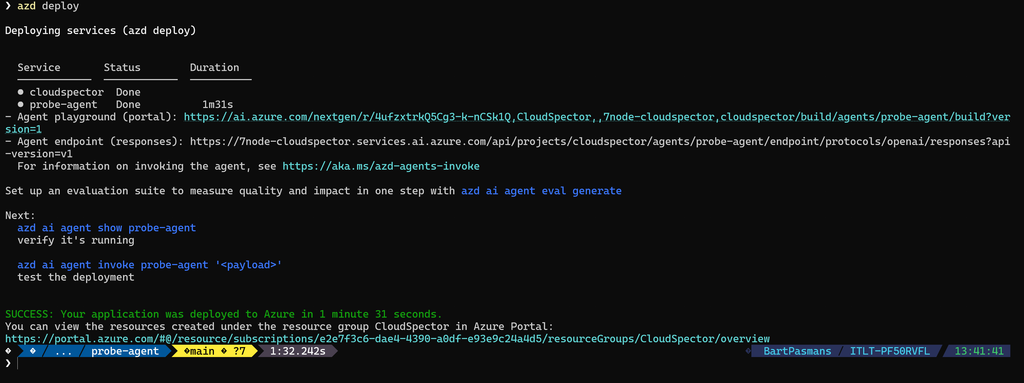
azd deploy📒 provision creates what azure.yaml declares. deploy zips the source, uploads it, and Foundry builds the agent remotely. At the end you get an Agent playground (portal) link and the agent’s endpoint.
If everything was deployed correctly you should see something like below
- Lets do a quick test:
azd ai agent invoke "Hello"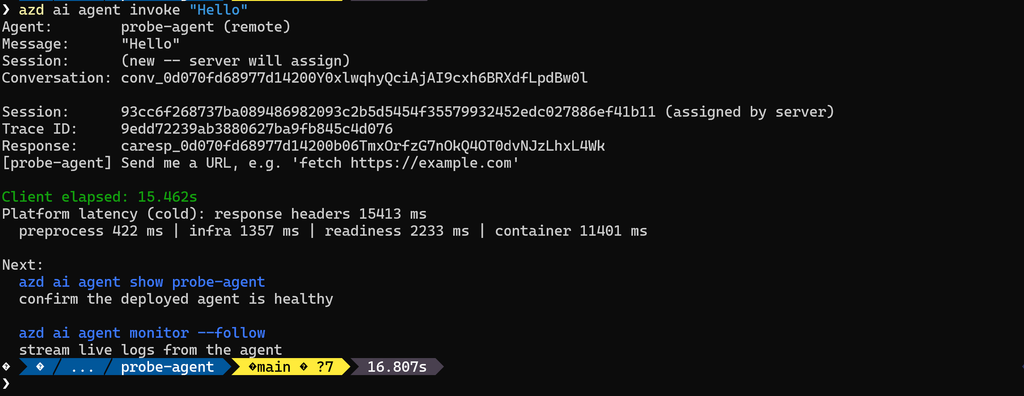
📒 Don’t test egress locally. azd ai agent run starts the agent on your own machine, where there is no egress proxy, so every URL returns 200 there. The policy is enforced inside Foundry’s sandbox, so test the deployed agent. If it won’t start, azd ai agent monitor –follow streams the container logs.
📒 Every azd deploy creates a new agent version, and by default the endpoint follows the latest one.
Step 1: Baseline
🎬 Open the agent in the Playground (use the link azd deploy printed) and send:
fetch https://learn.microsoft.com/en-us/
fetch https://example.com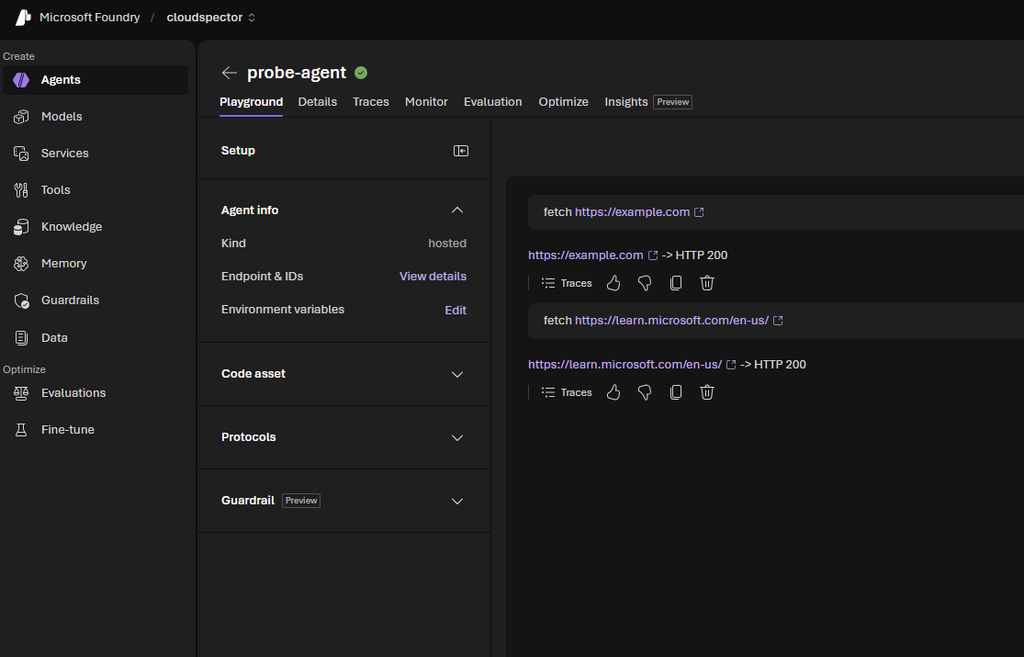
Both return HTTP 200. Prefer the terminal? azd ai agent invoke “fetch https://example.com” does the same. Right now the agent can reach anything. That’s the problem we’re fixing.
Step 2: Create a Guardrail in Audit Mode
🎬 In the project, go to Guardrails → Create guardrail and configure the network part:
- Expand Network → Egress rules
- Set the default action for Outbound requests to Deny (an allow list)
- Add rules: mode Audit, host learn.microsoft.com, action Allow
- Assign our agent
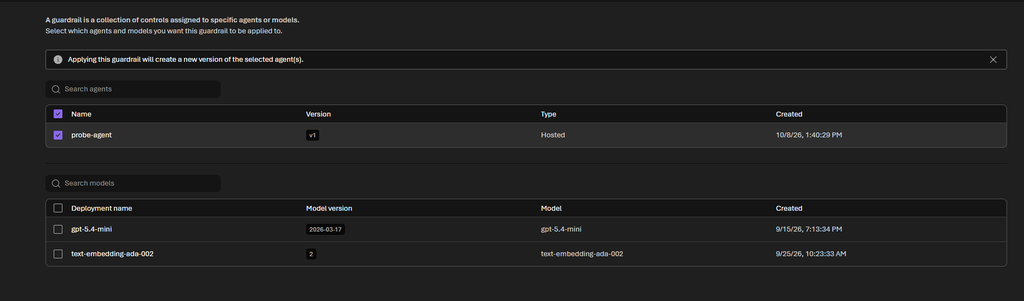
- give it a proper name
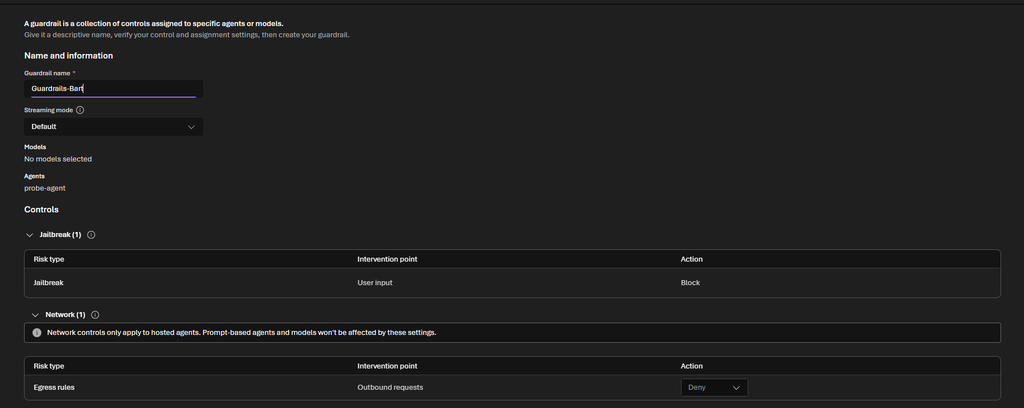
And create everything
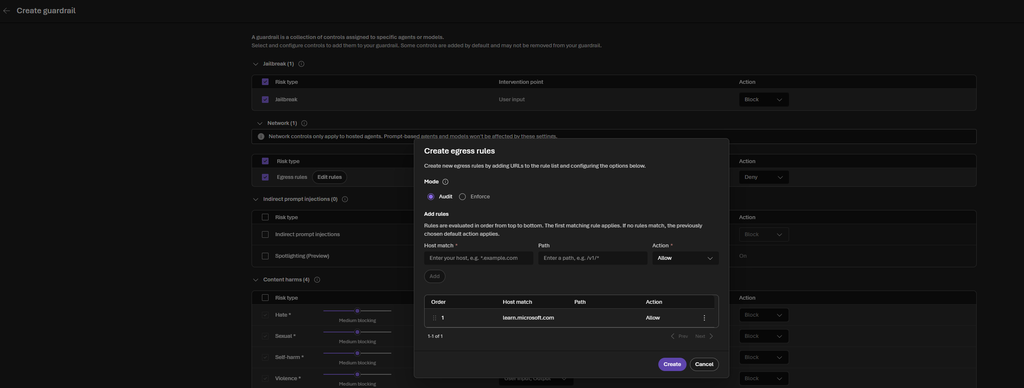
📒 Rules are evaluated top to bottom, first match wins. Hosts can be exact or wildcards like *.contoso.com, up to 480 rules per policy. Besides Allow and Deny there’s Transform (add or change request headers) and Rewrite (send the request to a different destination).
Step 4: Test it again
🎬 Now its time to test again with the fetch commands we’ve been using earlier.
fetch https://learn.microsoft.com/en-us/
fetch https://example.comYou should see the result below
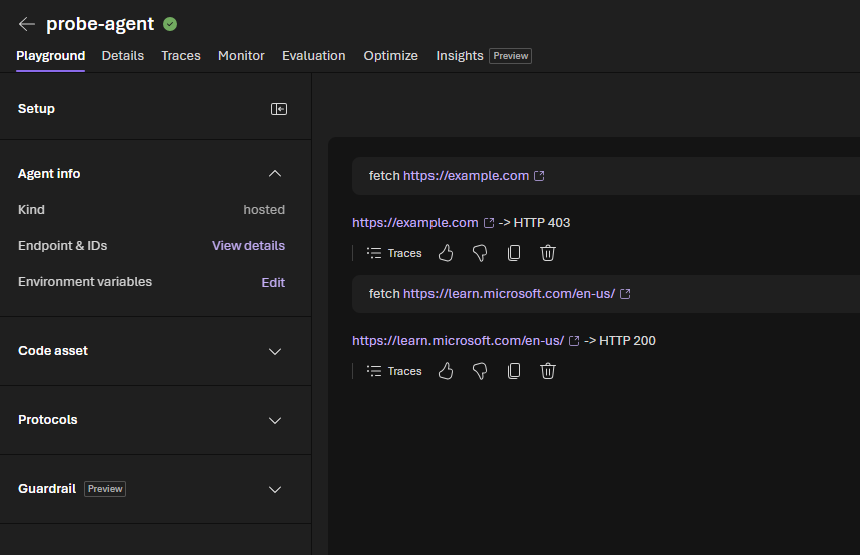
The 403 comes from the egress proxy, and the trace now shows Deny with enforcement Enforced.
📒 Don’t trust the agent’s answer alone. The real proof that a blocked request is blocked is that it never arrives: if you own the destination, check its logs.
Things to Know Before You Switch It On
It answers one question out of three. Is this the right destination? Is the caller authorized there? Is this appropriate data to send? Egress controls only handle the first. Allowing a host doesn’t grant access on it, and the payload isn’t inspected.
A private endpoint is not egress control. A private endpoint secures the inbound path. With public egress, the agent can still call out wherever it likes.
It complements your network design, it doesn’t replace it. Egress controls cover HTTP(S) from hosted agents only, not prompt agents, and they sit next to VNet integration and Azure Firewall.
It’s still preview. Rules match on host only (service tags and IP ranges are announced, not here yet), header values are static (no managed identity or secret references yet), and Transform and Rewrite still run in Audit mode, so use harmless test values. Foundry’s own platform connectivity is allowed separately, so a default of Deny doesn’t mean every connection from the runtime is cut.
Wrapping Up
We fenced in a hosted agent without writing a line of infrastructure code: allow list, Audit first, Enforced second, and a decision record for every outbound call. For agents that act on text they read, an allow list of destinations is about the cheapest safety net you can add.
Start in Audit. Read the decisions. Then enforce.
Until next time, happy scripting! 🚀