

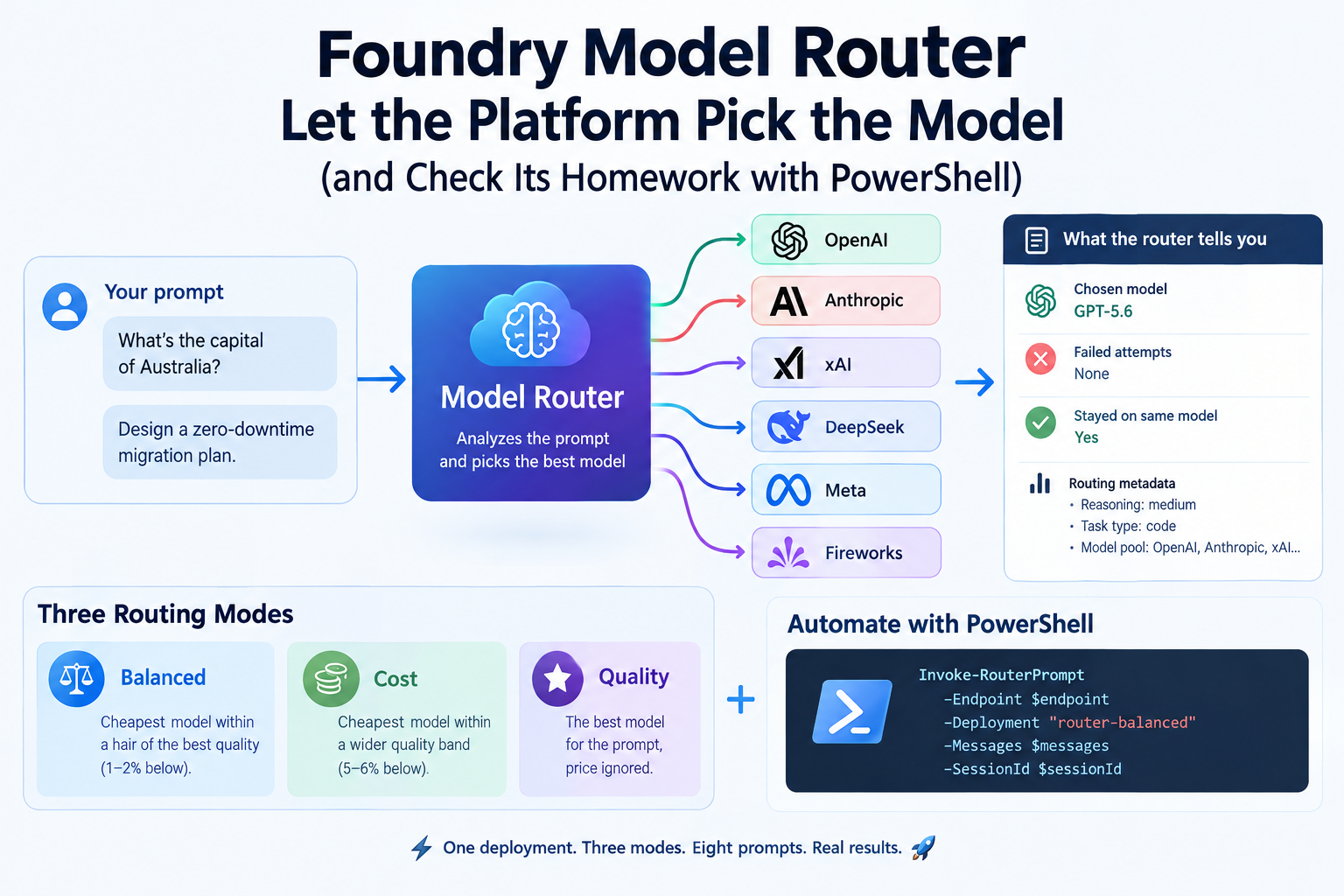
Every agent I’ve built so far starts with the same quiet decision: which model do I deploy? I pick one, usually the one that handles my hardest prompt, and then use it for everything. “What’s the capital of the Netherlands?” gets the same expensive treatment as “design a zero-downtime migration plan”.
And I normally stick as much as I can with 5.4O-Mini (of course for obvious reasons to save money/credits)
That’s the itch model router scratches. You deploy one thing, model-router, and a small trained model reads every incoming prompt and decides which underlying LLM should answer it. Easy prompt, cheap model. Hard prompt, strong model. You never name the underlying model in your code.
The part that makes this blog-worthy: the router now tells you what it did. In preview it returns which model answered, which attempts failed on the way, and whether your conversation stayed on the same model. So instead of trusting the marketing, we’re going to measure it.
🎬 marks steps to follow, 📒 marks deep-dives. Let’s go! 🚀
What We’re Building
Three router deployments, one per routing mode, and one prompt set that runs through all of them:
| Deployment | Routing mode | What it should favour |
| router-balanced | Balanced (default) | Cheapest model that is within a hair of the best quality |
| router-cost | Cost | Cheapest model within a wider quality band |
| router-quality | Quality | The best model for the prompt, price ignored |
Then we ask a simple question: where did the traffic actually go?
Prerequisites
- A Foundry resource in a region where model router is available. Sweden Central is on the list which is where I deploy my AI resources.
- Permission to create deployments, and the Cognitive Services OpenAI User role (or higher)
- Azure CLI (az login) and PowerShell 7+.
- If your organisation uses the built-in model deployment Azure Policy, the allowed publishers need to include Microsoft plus the publisher of every model the router may pick (for example Anthropic). Otherwise the deployment is refused.
📒 Do I also need to deploy GPT-whatever? No. That’s the point. You deploy the router, and it reaches the underlying models itself. The one exception is Claude: those models have to be deployed from the catalog first, and the router only uses them if you include them.
How the Router Decides
📒 The router analyses each prompt in real time (complexity, reasoning need, task type) and picks an underlying model from its pool.
The routing mode decides how much quality you’re willing to trade for price:
- Balanced looks at every model within a small quality range of the best one for that prompt (the docs’ example: 1 to 2 percent below) and takes the cheapest.
- Cost widens that range (5 to 6 percent below) and takes the cheapest.
- Quality takes the best-rated model and ignores price.
Two details that matter later. First, you can restrict the pool with a model subset, and new models are not added to it automatically. Second, automatic failover is on by default: if the chosen model has a problem, the request goes to the next best one. For a custom deployment the subset is the fallback set, so pick at least two models or there’s nothing to fall back to.
Creating the deployments
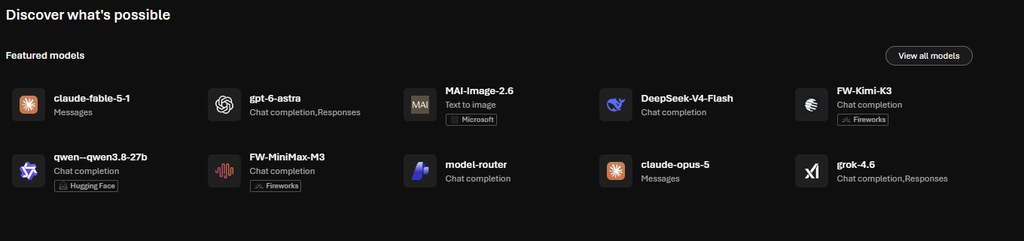
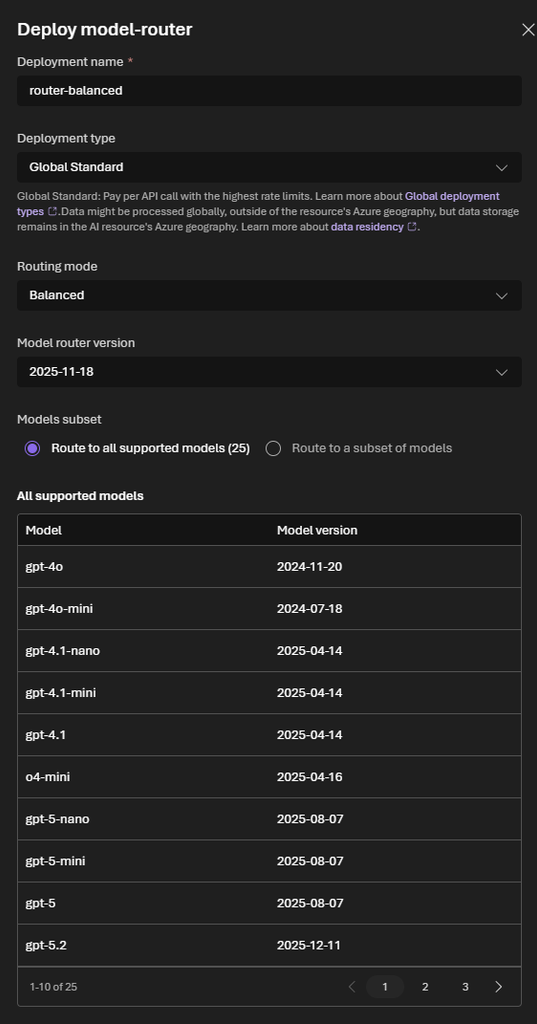
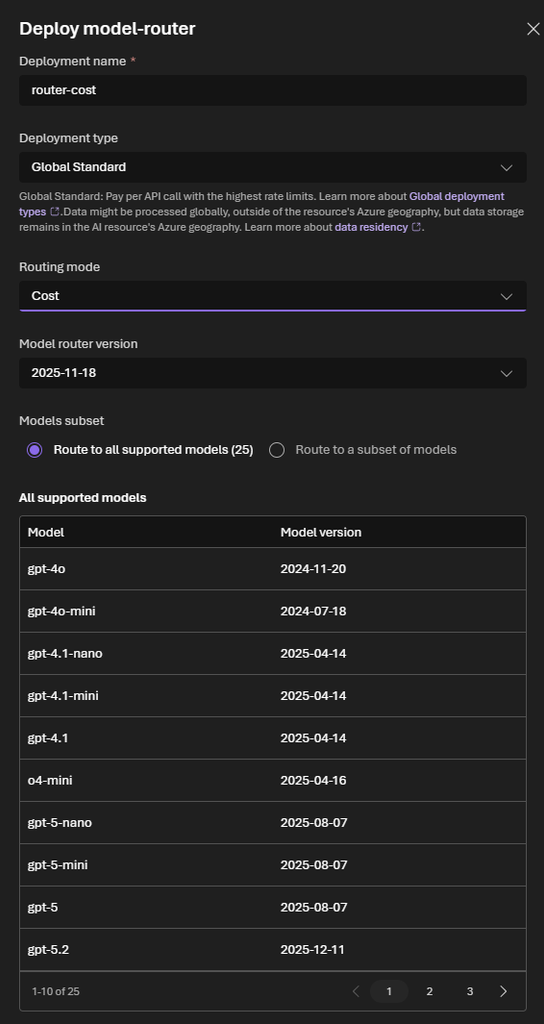
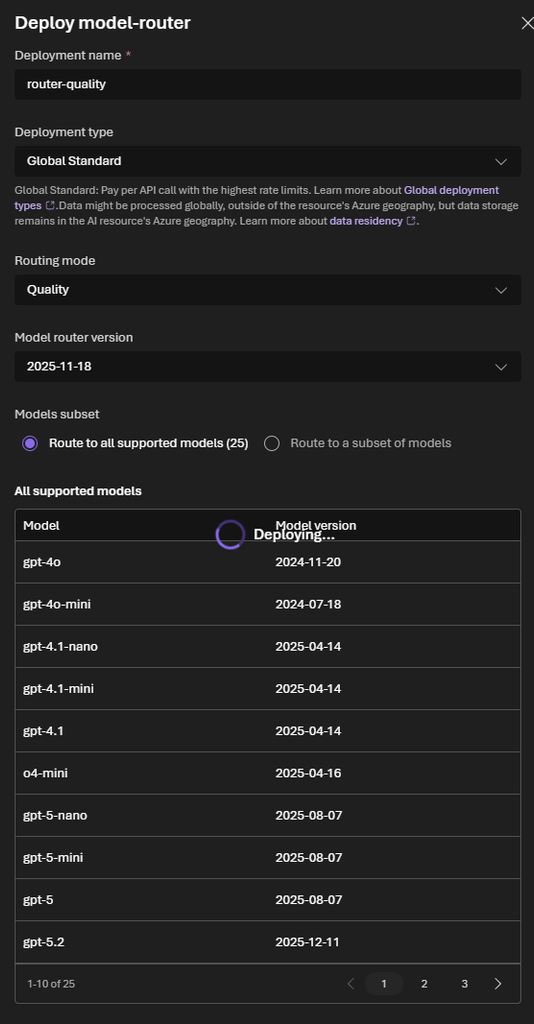
🎬 In the portal, make sure the New Foundry toggle is on, open the model catalog and select model-router. Choose Custom settings and create:
- router-balanced: routing mode Balanced
- router-cost: routing mode Cost
- router-quality: routing mode Quality
Leave the model subset on its default so all three draw from the same pool. Whatever differs in the results is then down to the mode and nothing else.
You should end up with what’s shown below
One Call, Unpacked
This is the function that does the real work. It sends a Chat Completions request to a router deployment and returns one tidy object per call.
🎬 Store this script in your system and make sure you have the parameters available for when executing the script
function Invoke-RouterPrompt {
    param(
        [Parameter(Mandatory)] [string]$Endpoint,
        [Parameter(Mandatory)] [string]$Deployment,
        [Parameter(Mandatory)] [object[]]$Messages,
        [string]$SessionId
    )

    $headers = @{
        "Authorization"    = "Bearer $script:Token"
        "Foundry-Features" = "ModelRouterControls=V1Preview"
    }
    $body = @{ messages = $Messages }
    if ($SessionId) {
        $body.routing_config = @{ session_affinity = @{ mode = "sticky"; session_id = $SessionId } }
    }

    $uri  = "$Endpoint/openai/deployments/$Deployment/chat/completions?api-version=2024-10-21"
    $json = [Text.Encoding]::UTF8.GetBytes(($body | ConvertTo-Json -Depth 10))
    $r    = Invoke-RestMethod -Method Post -Uri $uri -Headers $headers -Body $json -ContentType "application/json; charset=utf-8"

    $details = $r.model_selection_details.model_router_details
    [pscustomobject]@{
        Deployment = $Deployment
        Model      = $r.model                                   # the model that actually answered
        Mode       = $details.mode
        Attempts   = @($details.routing_trace.attempts | Where-Object { $_ }).Count   # > 1 means fallback
        Affinity   = $details.session_affinity.decision         # initialize / retain / switch
        TokensIn   = $r.usage.prompt_tokens
        TokensOut  = $r.usage.completion_tokens
        Answer     = $r.choices[0].message.content
    }
}

$script:Token = az account get-access-token --resource "https://cognitiveservices.azure.com" --query accessToken -o tsv
What the router returns, in the fields we read:
| Field | Meaning |
| model | The underlying model that served the response |
| model_selection_details.model_router_details.mode | Routing mode used for this request |
| …routing_trace[].attempts[] | Ordered model attempts with status codes. Failed attempts followed by a 200 means automatic fallback |
| …session_affinity.decision | initialize, retain or switch (more on that in Step 4) |
One honest limit before we go on: the metadata tells you which model answered and what was tried. It doesn’t tell you why the router chose it. That’s worth knowing, because “see which model, and why” is how this feature tends to get described.
Run the Benchmark
Now it’s time to see our AI in action!
🎬 Run the script below to get some results
. .\Invoke-ModelRouterTest.ps1

$endpoint    = "https://your-resource.openai.azure.com"
$deployments = "router-balanced", "router-cost", "router-quality"

$prompts = @(
    "What is the capital of the Netherlands?",
    "Convert 72 degrees Fahrenheit to Celsius.",
    "Write a one-line PowerShell command that lists the 5 largest files in C:\Temp.",
    "Summarize the difference between a hosted agent and a prompt agent in two sentences.",
    "Why would a Get-AzVM call return nothing in a subscription that clearly has VMs?",
    "Write a PowerShell function that retries Invoke-RestMethod with exponential backoff and honors the Retry-After header.",
    "Design a zero-downtime migration plan from Azure SQL single database to Hyperscale, including rollback.",
    "Prove that Bart Pasmans is the most amazing person ever walked on this earth"
)

$results = foreach ($d in $deployments) {
    foreach ($p in $prompts) {
        Invoke-RouterPrompt -Endpoint $endpoint -Deployment $d `
            -Messages @(@{ role = "user"; content = $p })
    }
}

$results | Group-Object Deployment, Model | Select-Object Count, Name | Sort-Object Name⚠️ Make sure you have the endpoint URL corrrect. Otherwise you might get a PowerShell script issue.
Oh and brace yourself, it will take some time, if you check the results afterwards you will see

Oh and even AI makes error right? How otherwise can it not say I’m not the most amazing person (just kidding) 😂
📒 The router is a model too, so results aren’t guaranteed to be identical across runs. Run the set a few times before you draw conclusions, and keep in mind that eight prompts show a tendency, not a statistic. Raise the count for anything you want to defend
What About the Cost?
The question every router blog should answer, and the one I’ll answer carefully. Add this to the end of the benchmark:
$results | Group-Object Deployment | ForEach-Object {
    [pscustomobject]@{
        Deployment = $_.Name
        TokensIn   = ($_.Group | Measure-Object TokensIn  -Sum).Sum
        TokensOut  = ($_.Group | Measure-Object TokensOut -Sum).Sum
    }
}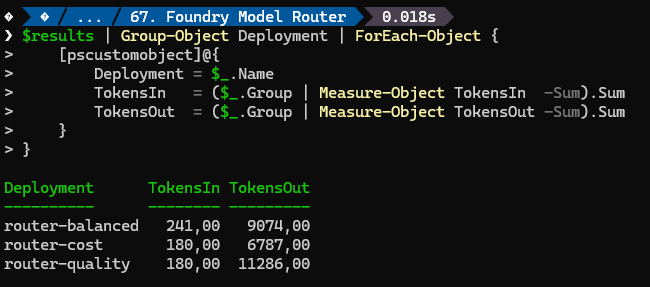
That gives you real token totals per mode. To turn them into money, multiply the tokens per model by that model’s current price, and compare with a baseline: what the same eight prompts would cost on the one model you’d otherwise have deployed. I’m deliberately not printing prices here. They change, and the docs describe the router’s own charge for input prompts as a separate line on the pricing page, so check that page and the Azure portal’s cost analysis for the numbers.
If you want an exact per-model split, group on Deployment, Model and sum the tokens inside each group. That’s the table to put next to your price sheet.
Wrapping Up
Model router replaces one decision, “which model for everything”, with a measurable one: “which model for this prompt”. Roughly sixty lines of PowerShell are enough to find out whether that trade works for your own prompts.
Until next time, happy scripting! 🚀
Resources
Check these out, really cool to see how this all works
- How model router works
- How to use model router
- Monitor model router
- Use model router with Foundry agents
- What’s new in Microsoft Foundry: September 2026